Optional job-text alerts: enrollment process
Field Time employees do not enroll in SMS alerts when their account is created. The office first records a mobile number for the employee. The employee can then sign in to Field Time, review that number in Settings, and independently choose whether to receive job-related text alerts. This choice is not required to use the app or as a condition of employment.
1. The office records the employee's mobile number
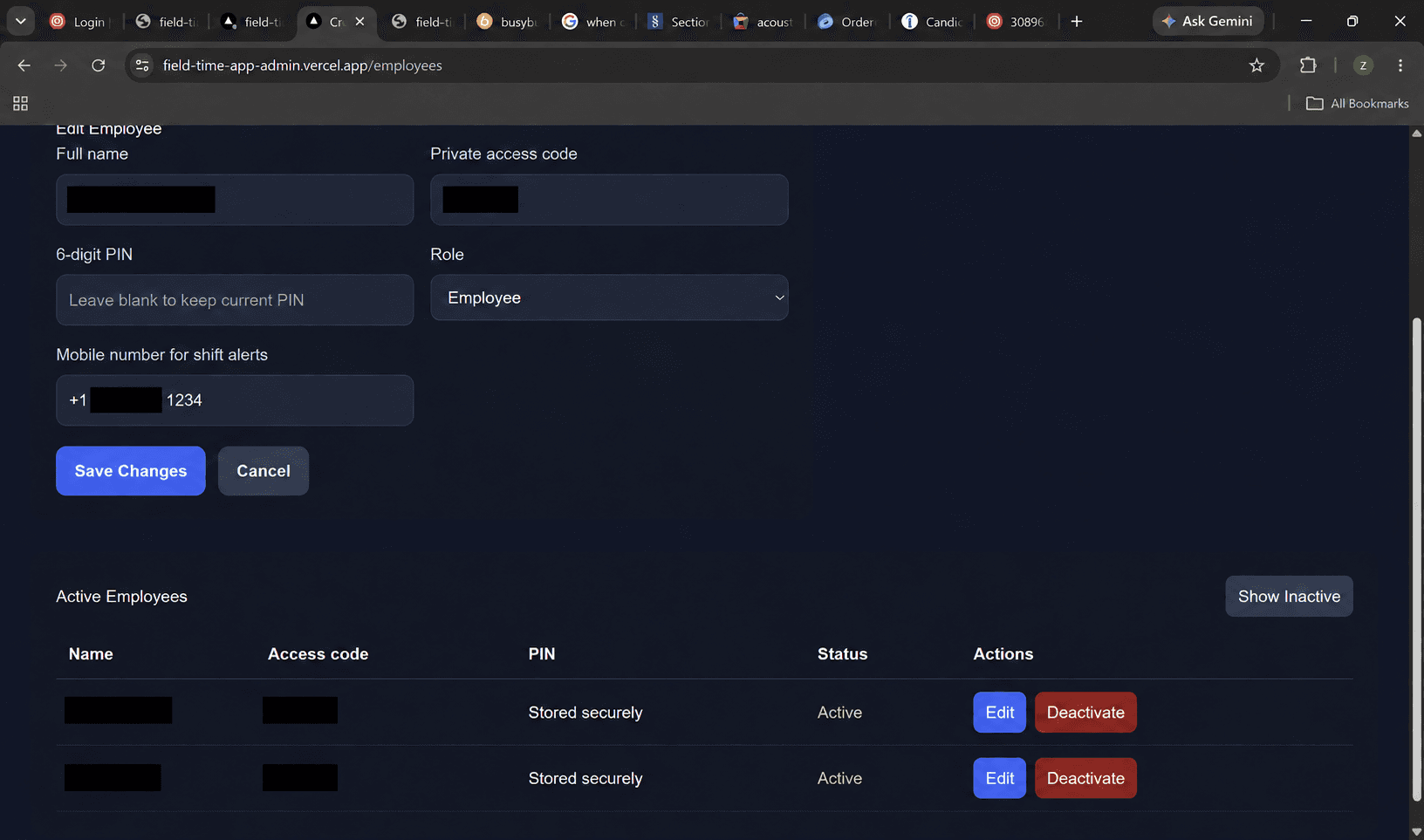
The employee-management screen has a separate “Mobile number for shift alerts” field. Entering a number here does not opt the employee in. The example below has private access details redacted.
2. The employee makes a separate, optional choice
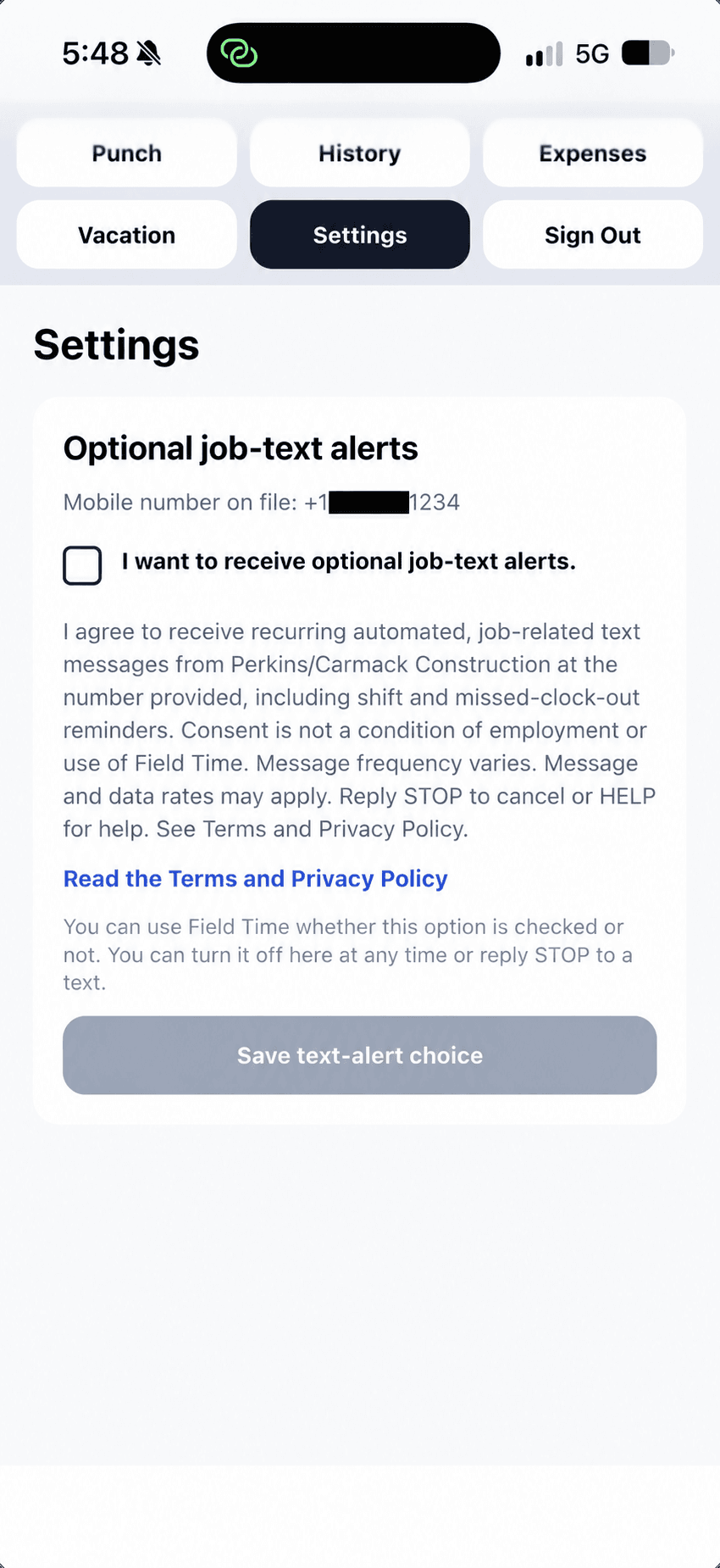
After signing in, the employee opens Settings. The number on file is shown above an unchecked SMS checkbox. The employee must actively check it and select “Save text-alert choice” to enroll. The screenshot shows the checkbox before consent is given.
Consent and control
The disclosure identifies Perkins/Carmack Construction, LLC, describes recurring shift and missed-clock-out reminders, says that message frequency varies and message and data rates may apply, and explains STOP and HELP. Field Time records the phone number, consent time, and disclosure shown when the employee saves an opt-in. Employees may opt out in Settings or by replying STOP.
Current consent wording shown in Field Time Settings:
I agree to receive recurring automated, job-related text messages from Perkins/Carmack Construction, LLC at the number provided, including shift and missed-clock-out reminders. Consent is not a condition of employment or use of Field Time. Message frequency varies. Message and data rates may apply. Reply STOP to cancel or HELP for help. See Terms of Service and Privacy Policy.
Field Time SMS Terms of Service · Field Time SMS Privacy Policy